Onyx and Anthropic integrate to bring real-time agentic AI security to Claude Enterprise
Onyx extends coverage from the endpoint to the conversation layer for comprehensive visibility, governance, and security of Claude.
The Importance of Securing Claude
Companies are rapidly adopting Claude across departments, from engineering to operations. Using Clause on their desktop, in the browser, and on phones, employees are working faster and solving complex problems, supported by custom skills and shared content.
A significant amount of the information in Claude resides in the conversation layer, including chats, uploaded files, and projects. Information from such multi-session workflows in Claude Enterprise were not previously available, but are an important part of analyzing comprehensive risk.
When combined with activity data collected from the endpoint, security organizations can now have the visibility and controls they need to secure Claude.
Bringing Claude into Onyx’s Secure AI Control Plane
Onyx integrates with Claude Enterprise through the Compliance API, pulling conversation content, uploaded files, project data, and activity logs directly into the Onyx control plane. No proxies. No agents. No disruption to how employees use Claude.
This provides full visibility into how employees are using Claude, including actions they have taken, skills they have built, and privileges they extended.
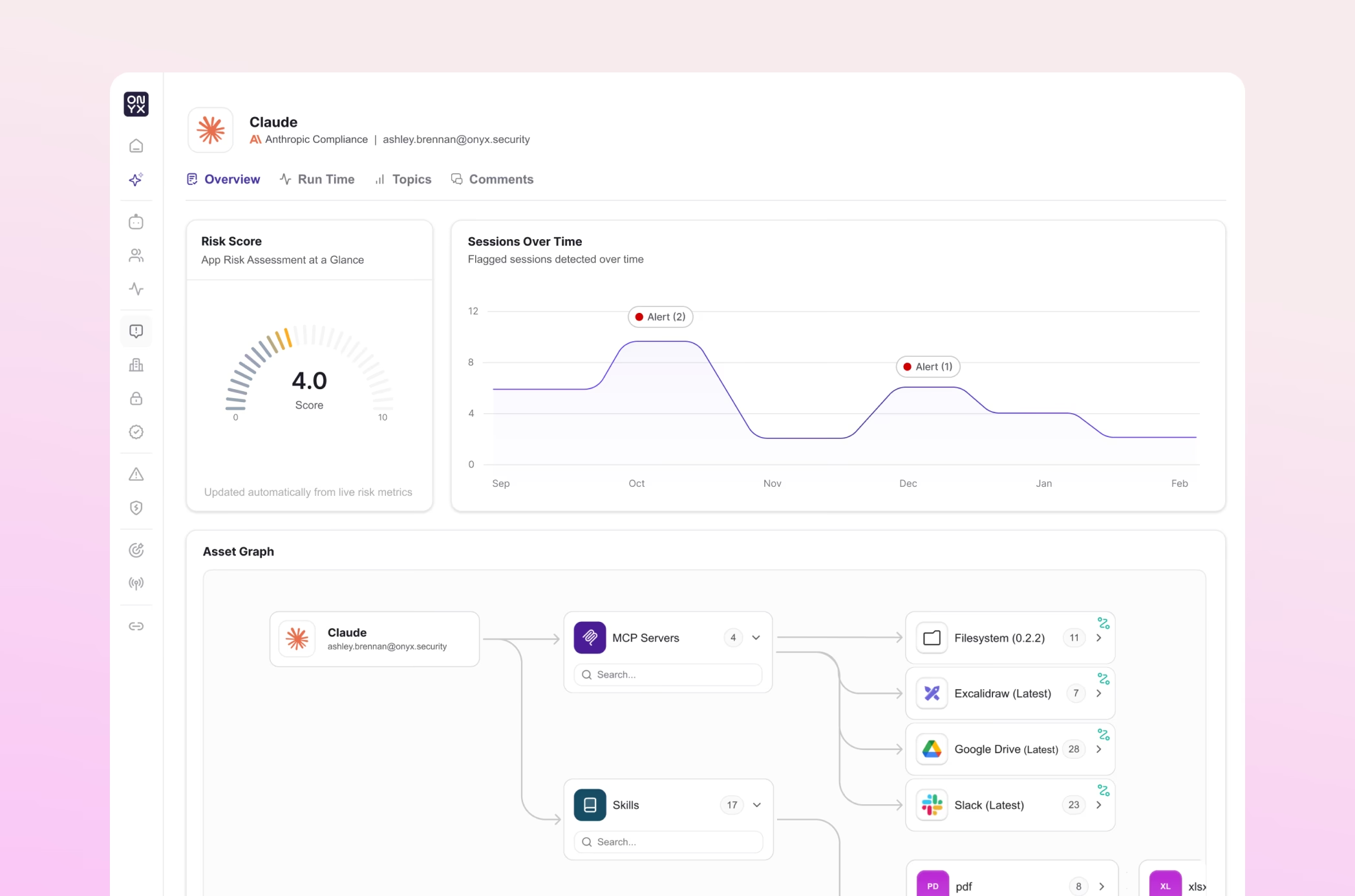
Onyx analyzes this activity in near real time, enriching Claude user activity with each customer’s AI usage data across SaaS, cloud, and endpoint environments, as well as signals from their security tools, to surface security risks. This feeds into the Onyx model engine, allowing Onyx to continuously assess AI security posture, remediate issues based on risk severity, and alerting on every risky action, from misuse to data exposure.
The Benefits of
Onyx x Claude Enterprise

Observability
See all of the Claude conversation content by employee, alongside all their other AI usage in a single control plane.

Governance
Evaluate Claude activity against built-in and custom policies defined in natural language and alert on noncompliant usage.

Security Posture
Continuously assess all Claude assets for misconfigurations and provide steps to harden posture.

Runtime Security
Surface sensitive data (secrets, PII, source code) and flag anomalous activity or misuse for investigation.
Securing The AI Moment
Anthropic built Claude to be powerful, safe, and enterprise-ready. The Compliance API is Anthropic's commitment to giving security teams the access they need to govern AI responsibly. Onyx makes that access operationally useful.
The Compliance API provides Onyx conversation content, whereas Onyx’s agentless endpoint presence provides access to Claude Desktop, Claude Cowork, Claude Code, and chat in the browser. This complementary approach provides truly comprehensive coverage.
Together, Claude and Onyx give security leaders a path to something that's been genuinely difficult: enabling AI across developers, business teams, analysts, and operators without forcing a tradeoff between productivity and protection.
When you can see and secure Claude activity across the endpoint and the conversation layer, you stop restricting access out of uncertainty and start extending it with confidence.
To see the impact of real-time AI security with Onyx and Claude, schedule a demo.
Current Onyx customers can get started by following these simple integration steps.
What you'll need before you start
- 1
An Onyx Admin Account
- 2
A Claude Enterprise organization with Compliance API access enabled
- 3
A Compliance Access Key generated in claude.ai
In Onyx, select the Claude Enterprise integration card.
Paste your Compliance Access Key and Onyx will begin ingesting Claude activity