Onyx integrates with OpenAI to extend AI agent security to ChatGPT Enterprise
Onyx analyzes OpenAI usage in real time across endpoints, browsers, and the Compliance API for comprehensive coverage.
The OpenAI Security Challenge
OpenAI is becoming core enterprise infrastructure as enterprises move from AI chat to agentic workflows. Employees use ChatGPT to analyze documents, summarize business context, write content, and automate work. Developers use Codex and the OpenAI API to build, orchestrate, and ship AI-powered applications faster. Teams create custom GPTs that act like internal AI agents, upload files, collaborate over Canvas, and connect tools for improved productivity.
That adoption creates a new security challenge: OpenAI usage does not live in one place.
Some data can be captured in the browser, some on the endpoint, some through API-based workflows, and some inside the sanctioned ChatGPT Enterprise workspace. Ensuring visibility, governance, and security across OpenAI at scale is daunting for many security organizations. Onyx makes it simple.
Bringing OpenAI into Onyx’s Secure AI Control Plane
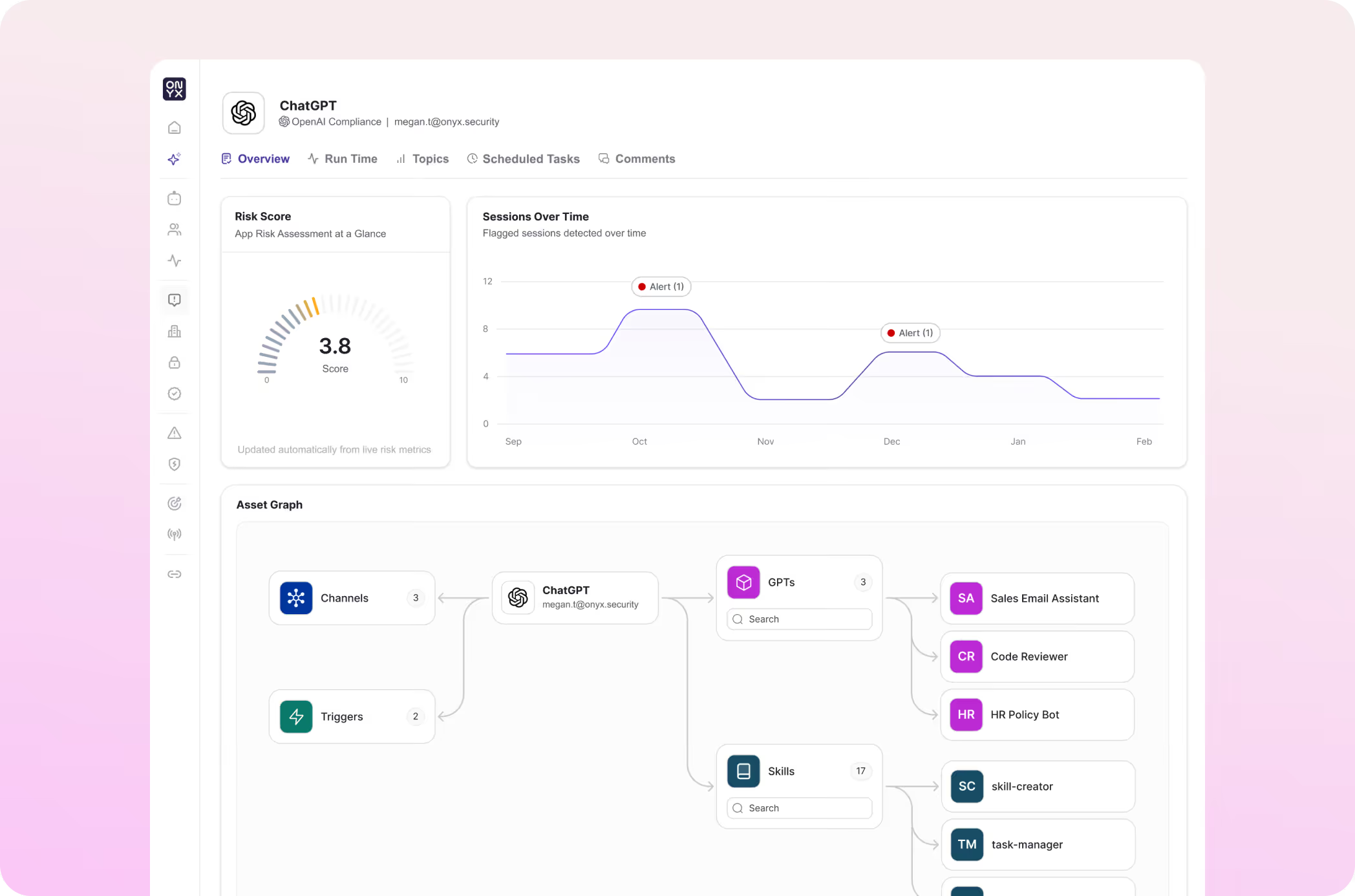
Onyx integrates with the OpenAI Compliance API, ingesting ChatGPT Enterprise workspace activity. This provides access to conversations, uploaded files, workspace GPT configuration and metadata, memories, and workspace users that are stored on the platform.
But ChatGPT Enterprise is only one part of how employees and developers use OpenAI to build, run, and interact with AI agents.
Onyx combines that data in real time with OpenAI telemetry from its agentless endpoint scanner and browser extension, including ChatGPT, Codex, and OpenAI API usage. It also incorporates signals from existing security tools to surface risk in context. This feeds into the Onyx model engine, allowing Onyx to continuously enforce global policies, assess AI security posture, remediate issues based on risk severity, and alert on every risky action.
The Benefits of
Onyx + ChatGPT Enterprise

Observability
See all of the ChatGPT conversation content by employee, alongside all their other AI usage in a single control plane.

Governance
Evaluate OpenAI activity against natural-language policies, alert on noncompliant usage, and create an audit trail for review.

Security Posture
Continuously assess ChatGPT Enterprise assets and AI agents for misconfigurations, excessive exposure, and creation-time risks.

Runtime Security
Surface sensitive data (secrets, PII, source code) and flag anomalous activity or misuse for investigation.
Govern OpenAI Without Slowing Teams Down
Security teams should not have to block OpenAI adoption or slow down agentic workflows to reduce risk. Onyx lets teams define and enforce natural-language policies across OpenAI usage, helping protect sensitive data, regulated information, source code, and business-critical workflows without slowing adoption.
Onyx approaches OpenAI security as a multi-signal problem, evaluating what AI agents and workflows are intended to do against what they actually do. A ChatGPT Enterprise conversation, a browser session, a Codex workflow, and an API interaction can all be evaluated and controlled as part of the same OpenAI risk surface.
With Onyx, organizations can see OpenAI adoption clearly, govern it consistently, and respond to risk in real time.
To see the impact of real-time AI security with Onyx and OpenAI,
schedule a demo.
Current Onyx customers can get started by following these simple integration steps.
What you'll need before you start
- 1
An Onyx Admin Account
- 2
A ChatGPT Enterprise workspace with Compliance API access
- 3
The required OpenAI Compliance API credentials for your workspace
In Onyx, select the OpenAI Compliance API integration card.
Paste your Compliance Access Key and Onyx will begin ingesting ChatGPT Enterprise activity